

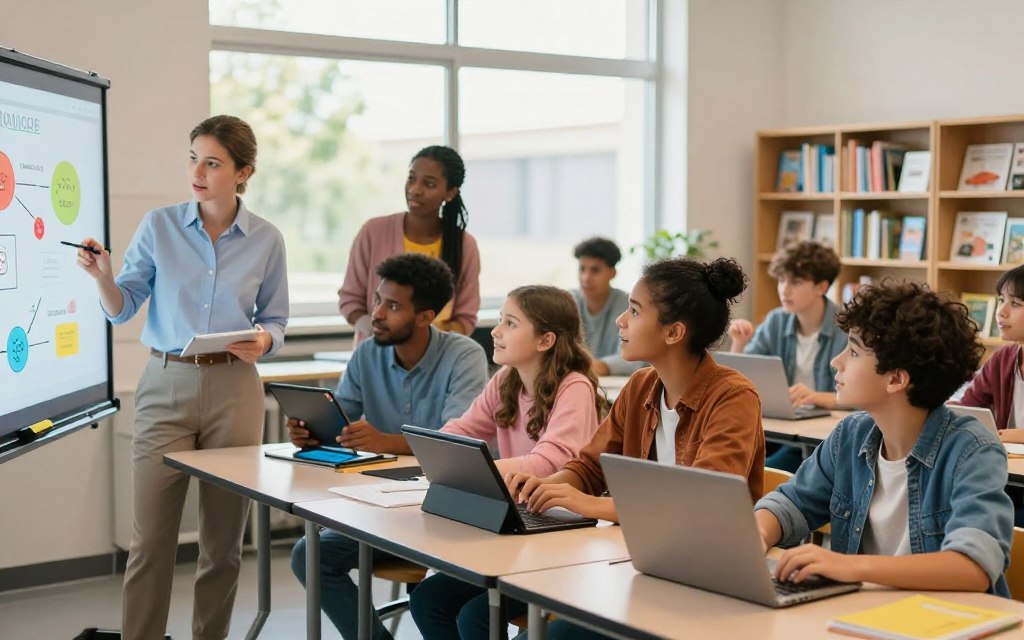
In recent years, education has changed greatly. With advanced tools, teachers can plan lessons, teach students, and assess progress in new ways. This change does not replace teachers; it strengthens how teachers use technology to support interactive, collaborative, and personalized learning experiences.
Effective educational technology, such as interactive displays and learning management systems, helps teachers create engaging learning experiences. Video conferencing platforms and educational apps improve communication and teamwork, connecting students and teachers. As schools add artificial intelligence, augmented reality, and digital assessment platforms, technology in education prepares students for a technology-driven future.
Successful use of these tools depends on clear instructional goals, sound teacher judgment, and fair access for every student. These tools can increase participation, improve understanding, and strengthen retention.
Key Takeaways
- Educational technology enhances lesson planning and instruction.
- Interactive tools foster collaboration and engagement.
- Clear goals and teacher judgment are essential for success.
- Equitable access is crucial for all students.
- Innovations prepare students for future challenges.
The Shift Toward Digital Classrooms
Education is changing quickly, with a clear shift toward digital classrooms. This change responds to the different needs of today’s learners, not just a passing trend.
Lecture-only lessons and printed worksheets may not engage students or support varied learning styles. Educators use modern education technology to improve student engagement.
Why do traditional teaching methods need an upgrade? Today’s classrooms include students with different backgrounds, interests, and learning paces. Conventional approaches alone can cause disengagement.
With technology-enhanced instruction, teachers offer interactive experiences that build deeper understanding. Multimedia resources present complex ideas through videos and simulations, making lessons more relatable and impactful.
Technology also helps students take an active role in learning. In a digital classroom, they can collaborate on shared documents, research primary sources, and create multimedia projects.
These student engagement strategies build critical thinking and provide immediate feedback during formative assessments. Classroom management platforms and collaborative tools create a more dynamic, inclusive learning environment.
Related Posts:
- Interactive Classroom Technology: How It Transforms…

- Should Schools Embrace Technology in the Classroom?…
- What Is Infrastructure and Technology The Foundation…

- How Technology Has Affected the Medical Field…

- What Is a Product in Technology From Software to Hardware

- What Is a Health Technology Innovations in Medical Care

Technology should support curriculum standards and learning objectives. Digital tools need a clear academic purpose, rather than use for its own sake.
When integrated thoughtfully, technology can transform education. It can make learning more engaging and effective for all students.
Interactive Whiteboards and Smart Displays
An interactive whiteboard and a smart classroom display help educators engage students. These tools turn traditional lessons into active learning experiences. Students move beyond passive presentations and become active participants in learning.
Their touch controls let teachers and students interact directly with lesson content. Teachers can annotate digitally, highlight key concepts, and move diagrams on screen. With screen sharing, students can share their work with the class.
Multimedia playback lets teachers add videos, images, and audio to lessons. Split-screen activities show several resources at once and support interactive learning.
Features That Enhance Classroom Interaction
Each smart classroom display strengthens classroom collaboration technology. These displays support classroom software and work with tools teachers already use. This connection helps create a smooth learning experience.
Displaying student work encourages peer feedback and discussion. This approach boosts engagement and helps students build critical thinking skills.
Popular Models Used in U.S. Schools
Several models stand out in U.S. schools, with features designed for interactive learning.
Promethean ActivPanel
The Promethean ActivPanel supports interactive instruction. Its simple interface encourages group participation and remains popular with teachers.
SMART Board
The SMART Board supports annotation and visual instruction. Its flexible design helps teachers create interactive lessons that hold students’ attention.
Samsung Flip
The Samsung Flip is a flexible digital display for brainstorming and group work. It makes content sharing easy and supports collaborative projects.
Schools should consider durability, accessibility, and teacher training when choosing a display. Reviewing these factors helps technology support learning goals.
Learning Management Systems (LMS)
In today’s digital learning environment, a learning management system (LMS) helps educators manage teaching. These platforms organize course content, simplify assignments, and support communication between teachers and students. By storing materials together, an LMS improves learning and encourages student engagement.
A key benefit of an LMS is its ability to streamline course content and assignments. Teachers can post lesson materials, distribute online assignments, and collect student work in one place. This central system improves consistency and provides deadlines, instructions, rubrics, and feedback, helping students focus on learning.
Leading Platforms for K-12 and Higher Education
Several popular LMS platforms serve different educational needs. Here are three leading options for an LMS for schools and higher education:
Google Classroom
Google Classroom is a streamlined LMS that integrates seamlessly with Google Workspace tools. It simplifies the process of assigning tasks and managing classroom communication. Teachers can post assignments, provide real-time feedback, and communicate effectively with students, making it an excellent choice for K-12 schools.
Canvas by Instructure
Canvas by Instructure is widely recognized for robust course organization capabilities. It offers comprehensive tools for assessments, integrations, and higher education workflows. Its user-friendly interface helps educators create engaging courses for diverse learning styles.
Schoology
Schoology provides a versatile platform for course materials, assignment management, and communication. It supports learning activities in both K-12 and higher education settings. Its features promote collaboration and help students access needed resources easily.
Choosing the right LMS depends on district requirements, data privacy expectations, and technical support. Schools should consider teacher familiarity and integration needs when selecting a platform. Students also need skills for organizing digital files, tracking deadlines, and communicating professionally online in a tech-driven world.
Gamification and Educational Apps
Gamification turns traditional lessons into interactive learning activities that engage students in fresh ways. Points, challenges, and quick feedback can boost motivation and participation. It creates more than competition; it builds excitement for learning and exploration.
One popular tool for classroom gamification is Kahoot! Teachers use it to create live quizzes and review games that make learning fun. Its user-friendly interface supports quick checks, helping educators measure student understanding in real time.
Another effective educational app is Quizlet. It offers digital flashcards and study activities for practicing vocabulary and concepts. Its interactive features encourage regular study habits and help learners retain information.
For language learners, Duolingo stands out as a top choice. The app provides short lessons focused on repetition and progress tracking. By making language practice a game, Duolingo keeps students motivated to improve their skills.
These tools help, but teachers should use them as supplements, not substitutes for deeper learning. Discussion, writing, and applying knowledge remain vital for a complete education. Teachers should also offer individual and team-based options for inclusive use.
Avoiding public rankings can prevent discouragement. Giving students enough time to process questions lets everyone participate fully.
Ultimately, educational apps can make review sessions more active and engaging. Teachers must connect these activities to standards, lesson objectives, and meaningful assessments for the best results.
Video Conferencing and Virtual Collaboration
Today, video conferencing for education connects classrooms across distances. It helps teachers reach students and experts in many places, improving the learning experience. Hybrid learning tools and virtual collaboration support educational continuity during hybrid and remote learning.
Connecting Classrooms Across Distances
Video conferencing for education lets teachers invite guest speakers, partner classrooms, and field experts into lessons. These connections enrich learning by giving students access to different perspectives. Teachers can also hold virtual office hours for one-on-one student support.
Teachers can organize small-group discussions online to promote peer collaboration. These discussions encourage participation and build critical communication skills. Online demonstrations and group projects can span different schools or even time zones, expanding students’ horizons.
Tools Supporting Hybrid and Remote Learning
Several remote learning technology tools support virtual collaboration:
Zoom
Zoom supports live classes, breakout discussions, and screen sharing. When configured properly, it lets teachers record sessions for later review, so every student can access the material.
Microsoft Teams
Microsoft Teams provides a complete collaboration environment. It combines meetings, channels, file sharing, and communication for educators. It also integrates resources smoothly, supporting a stronger learning experience.
Google Meet
Google Meet is another effective video meeting option, especially for users of Google Workspace tools. Its simple interface gives educators and students easy access to virtual classes.
Successful virtual learning requires more than turning on a camera. Teachers should set clear participation expectations and use features such as captions when available. Protecting meeting links and providing asynchronous alternatives can support structure and access.
Teachers should address screen fatigue, unreliable internet access, and privacy issues. They should limit background distractions and support fair participation for every student. By putting student well-being first, educators can create an engaging, supportive virtual learning environment.
| Tool | Key Features | Best For |
|---|---|---|
| Zoom | Breakout rooms, screen sharing, recording | Live classes and discussions |
| Microsoft Teams | Channels, file sharing, integrated apps | Collaboration and resource sharing |
| Google Meet | Simple interface, integration with Google Workspace | Quick video meetings |
How Teachers Use Technology for Personalized Learning
Personalized learning is changing education by helping teachers meet diverse student needs. Technology lets educators adjust pace, content format, and feedback for each learner. This support helps every student thrive through individualized learning.
One effective method uses adaptive learning platforms. They change question difficulty and suggest practice based on each student’s demonstrated mastery. If a student struggles with fractions, it offers targeted practice, supporting differentiated instruction and appropriate challenges for all.
Adaptive Learning Platforms
Adaptive learning technology creates a more engaging classroom. It analyzes student performance data to show where learners need help or enrichment. Teachers can then reteach concepts, provide interventions, or form collaborative learning groups.
Data-Driven Instruction Strategies
Teachers can use student learning data to improve instruction. Dashboards and quiz results reveal misconceptions and guide teaching changes. If students perform poorly on one topic, teachers can regroup them for targeted instruction.
Data should guide professional judgment, not replace it. Teachers should check its quality and context against classroom observations and student work. Open progress talks help students build agency and own their learning.
As technology enters classrooms, privacy concerns and over-reliance on automated recommendations may grow. Educators must ensure technology strengthens relationships and preserves teaching’s human touch.
| Feature | Benefit | Example |
|---|---|---|
| Adaptive Learning | Customizes learning paths | Targeted fraction practice for struggling students |
| Data Analysis | Identifies student needs | Grouping students for targeted support |
| Feedback Mechanisms | Provides timely support | Real-time quiz results to adjust instruction |
Technology can simplify differentiation while preserving teacher expertise and student relationships. With personalized learning technology, educators can create effective, engaging experiences for all students.
Artificial Intelligence in the Classroom
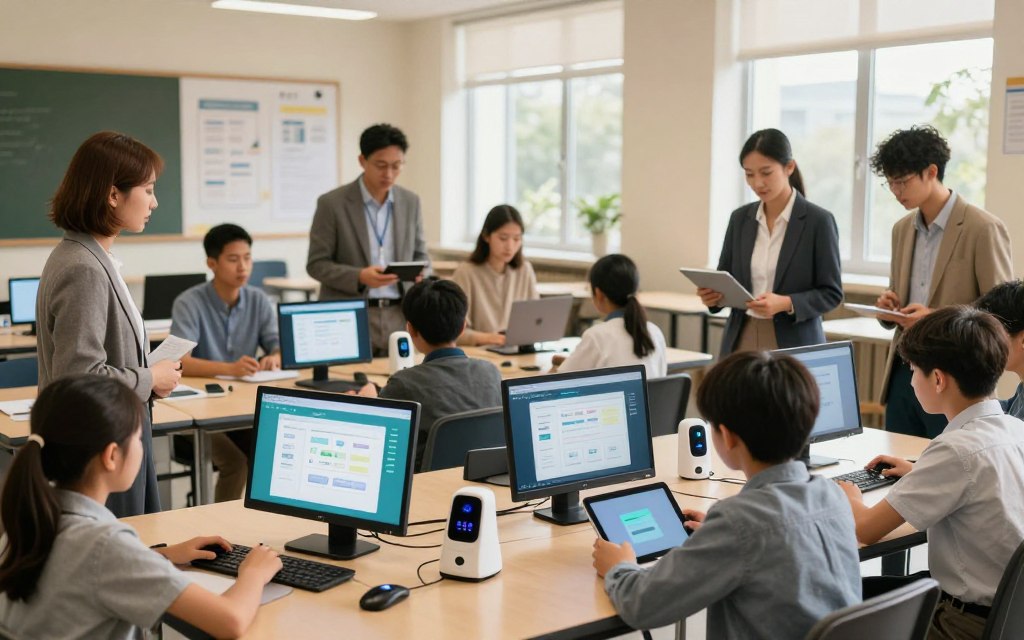
In recent years, artificial intelligence in education has become a powerful classroom ally, changing how schools deliver lessons. These tools support lesson planning, tutoring, and administrative tasks. When used well, AI tutoring tools offer tailored support, hints, practice questions, and guidance for individual learning needs.
Using AI in education raises ethical concerns about student privacy, data collection, and algorithmic bias. Educators must address these concerns through responsible AI use. They should check AI-generated content to protect academic integrity and teach students which assignments require independent work.
AI-Powered Tutoring and Assistance
AI-powered tutoring systems can improve learning by giving students immediate feedback and support. They can match each student’s pace and learning style, making lessons more engaging. Teachers must oversee these tools so they support, not replace, critical thinking and original expression.
Ethical Considerations for AI in Education
As schools adopt these technologies, they need clear classroom policies for AI use. Policies should explain when students may use AI tools and how they must acknowledge that help. With transparency and responsibility, educators can use generative AI for teachers while protecting the learning process.
For more insights on artificial intelligence in education, visit this resource.
Augmented and Virtual Reality Experiences
Students today learn through augmented and virtual reality. These tools let learners explore content in ways traditional methods cannot match. Augmented reality in education overlays digital information onto the physical world.
virtual reality learning transports students into simulated environments. This shift improves understanding and helps students remember complex subjects.
One exciting use involves immersive field trips and simulations. Students can explore historical locations, examine the human body, or observe astronomical phenomena without leaving class. These experiences make learning more tangible and memorable.
Devices Making AR and VR Accessible
Several devices make these technologies more accessible in schools. The Meta Quest 3 is a mixed-reality headset that supports many educational applications. Schools need suitable content and supervision before using it.
This device supports interactive lessons that can capture students’ attention.
Another noteworthy device is the Apple Vision Pro, which offers advanced spatial computing capabilities. Classroom use requires careful thought about cost, ergonomics, and available educational content.
Additionally, Google Expeditions has historically been associated with guided virtual field trips, allowing teachers to lead students through immersive lessons. Educators should verify its current availability. It remains useful for teachers who want to add virtual reality to lessons.
Schools should establish practical safeguards before using these technologies. Short sessions, clear learning objectives, and device cleaning protocols should be in place. Accessibility accommodations and supervision are vital for all students using immersive education technology.
Ultimately, augmented and virtual reality work best when students analyze, discuss, create, and apply what they experience. These technologies engage students and deepen their understanding of complex concepts.
For further insights into technology’s impact on education, explore this comprehensive study.
Digital Assessment and Feedback Tools
Teachers use digital assessment tools to give immediate feedback and strengthen student understanding. Real-time quizzes and polls help educators check learning during lessons instead of waiting until a unit ends. This method reveals misconceptions and helps teachers adjust instruction quickly.
Real-Time Quizzing and Polling
Live polls, quizzes, and exit tickets help teachers collect anonymous student questions and responses. This real-time student feedback creates an engaging classroom where students feel safe sharing uncertainty. It helps teachers adapt lessons using current insights.
Streamlining Grading with Digital Tools
Digital grading tools reduce repetitive work for educators, organize records, and simplify feedback. Formative assessment technology can support this work, but automation must not replace thoughtful comments or professional evaluations.
Turnitin
Turnitin promotes academic integrity through similarity checking and citation support. Teachers must interpret its reports carefully because similarity does not automatically mean plagiarism.
Gradescope
Gradescope streamlines grading by offering structured feedback for different assignment formats. This tool supports consistency and efficiency during grading.
Formative
Formative supports live questions and gives teachers immediate instructional insights. It lets teachers see student responses in real-time and improves the learning experience.
Digital assessment tools offer many benefits, but privacy, accessibility, and clear rubrics remain important. Educators should assess higher-order thinking through writing, projects, discussions, and other varied methods.
Building Digital Literacy Skills
In today’s digital age, equipping students with digital literacy skills is essential. These skills include evaluating online sources, protecting personal information, and communicating with respect. These competencies help prepare future-ready students for academic, professional, and civic participation in a technology-driven society.
Digital citizenship plays a vital role in this preparation. Students must learn to spot misinformation, manage digital identities, and cite content correctly. This foundation supports success in college, careers, and civic life.
Integrating coding education and computational thinking strengthens students’ digital literacy. Through age-appropriate activities, students practice sequencing, pattern recognition, and problem-solving. For instance, they might model a scientific process, analyze historical data, or create interactive stories.
Moreover, coding instruction should include all learners and connect to meaningful problems. It should be more than a technical pathway; it can foster creativity and critical thinking. Teachers can offer accessible tools and team projects, helping students show understanding in many ways.
Overcoming Challenges of EdTech Integration
Successful edtech implementation depends on solving educational technology challenges. Using technology in class means more than buying devices; schools need plans for fair access and effective use.
One major hurdle is the digital divide in education. This divide includes several issues:
- Device access for all students
- Reliable home internet connections
- Costs associated with software and subscriptions
- Availability of technical support
- Accessibility for students with disabilities
- Language barriers
- Differences in students’ prior tech experience
Schools can address these challenges with practical solutions, including:
- Device-lending programs
- Offline learning options
- Printed materials as alternatives
- Accessible content for diverse learners
- Flexible deadlines for assignments
- Community partnerships for internet access
- Clear communication with families
Another key challenge involves teacher technology training. Professional development should continue beyond one event. It should focus on:
- How specific tools support instructional goals
- Providing time for practice and experimentation
- Including model lessons for demonstration
- Offering ongoing coaching and peer support
Before adopting tools, school leaders must review privacy, cybersecurity, and total ownership costs. Feedback from teachers, students, and families can show whether technology improves learning experiences.
In conclusion, equitable technology access requires careful planning, funding, and revised practices that meet all learners’ needs.
Conclusion
The future of education technology is bright, as innovative tools reshape how students learn. Effective classroom technology fosters engagement and collaboration, creating better learning experiences. As teachers integrate these tools, they create environments that support student-centered learning and empower students to guide their education.
Technology integration in schools requires more than using new gadgets. It needs a clear purpose and thoughtful implementation. Teachers must align each tool with learning objectives, so technology deepens interaction, feedback, collaboration, and creativity.
Technology plays a vital role, but it cannot replace strong teaching. Meaningful relationships and thoughtful curriculum design remain crucial. Educators must evaluate student outcomes, ensure privacy and accessibility, and provide adequate teacher training for successful technology adoption.
As schools adopt new technologies, the goal is helping students think critically, communicate effectively, and apply knowledge in real-world situations. The most valuable technology makes learning more responsive and inclusive, keeping students’ needs at the center.