

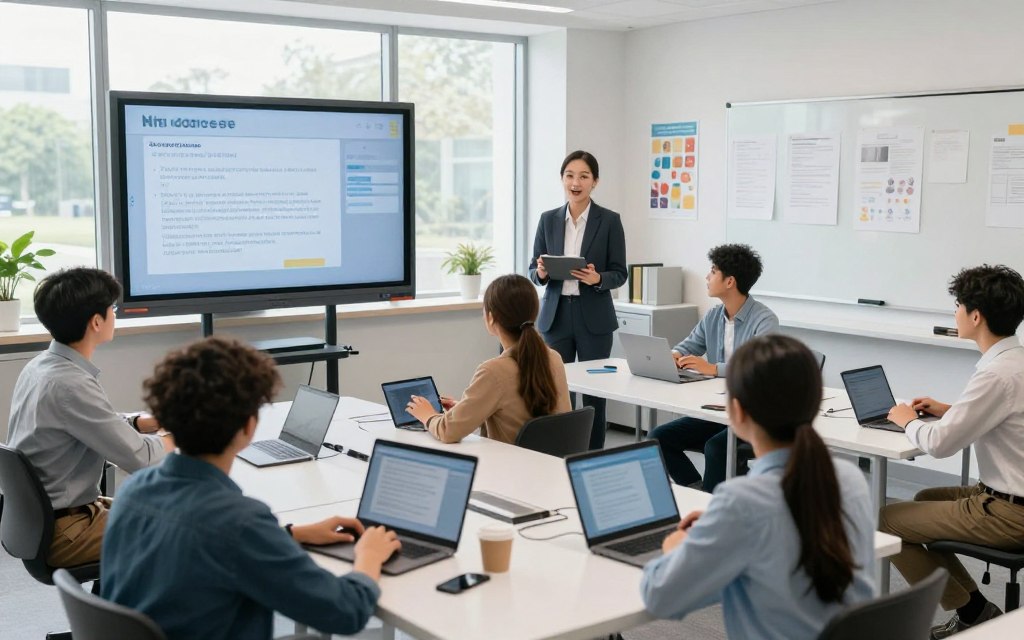
Today, interactive classroom technology plays a key role in changing how students find information and join lessons. This change matters to educators, school leaders, technology coordinators, and families. They want to understand the future of K–12 education in the United States.
Smart displays, tablets, learning management systems, educational apps, virtual reality, and data-driven learning platforms make lessons more engaging and personalized. Classroom technology also builds peer collaboration and helps students show understanding in creative ways.
However, the best use of student learning technology follows clear teaching goals. Educational technology should support and improve sound teaching practices, not replace them. This article explores how classroom interactivity supports engagement, personalization, accessibility, and academic performance while preparing students for 21st-century demands.
Key Takeaways
- Interactive tools enhance student engagement and collaboration.
- Personalized learning experiences cater to individual student needs.
- Technology supports clear instructional goals for effective teaching.
- Accessibility improves learning opportunities for all students.
- Data-driven platforms help track academic performance.
- Preparing students for 21st-century skills is essential.
What Is Interactive Technology in Classrooms?
The question, what is interactive technology in classrooms, points to tools that connect students with content. In education, interactive technology means digital tools that help students and teachers engage with learning materials. It includes hardware, software, and platforms that support collaboration and feedback.
Unlike passive media, such as recorded lectures, interactive technology supports real-time engagement. It includes touch-enabled displays, student devices, and digital learning tools, such as educational applications and learning management systems (LMS). These resources create an interactive learning environment where students respond through touch, voice, or writing.
Key parts include shared documents, discussion boards, and real-time polls. These features encourage purposeful participation and provide timely feedback. Accessibility options, such as captions and text-to-speech, improve the experience for all learners.
The value of interactive technology in education comes from differentiated instruction and chances to apply concepts actively. By integrating these tools, educators can greatly improve the quality of learning.
The Evolution of Classroom Technology
The evolution of classroom technology has changed teaching in major ways. Educational tools moved from simple chalkboards to advanced digital boards. This history of educational technology shows how teachers present information and engage students.
From Chalkboards to Digital Boards
At first, classrooms relied heavily on chalkboards. These tools helped teachers share information. Overhead projectors and filmstrips later added visuals, which increased student engagement.
Related Posts:
- Should Schools Embrace Technology in the Classroom?…
- What Is Infrastructure and Technology The Foundation…

- What Is a Product in Technology From Software to Hardware

- What Is a Health Technology Innovations in Medical Care

- How Technology Has Affected the Medical Field…

- An Example of Disruptive Technology Innovations That…

The turning point came with digital boards in schools. These boards let teachers annotate multimedia content, display student work, and access online resources. They can record lessons and connect remote participants, creating a more interactive learning environment.
The Digital Revolution in American Schools
Technology in American schools has changed greatly through the digital revolution. Schools expanded computer labs, started one-to-one device programs, and built wireless networks. Online assignments and digital textbooks are now common, supporting a shift toward virtual classrooms.
Adoption, however, has not been uniform. Districts face budget limits, infrastructure problems, and a need for teacher training. Successful technology integration needs device investment, reliable connections, and strong technical support.
| Technology Type | Year Introduced | Impact on Learning |
|---|---|---|
| Chalkboards | 1800s | Basic information delivery |
| Overhead Projectors | 1960s | Enhanced visual learning |
| Digital Boards | 2000s | Interactive and multimedia lessons |
| Tablets | 2010s | Personalized learning experiences |
| Virtual Classrooms | 2020s | Flexible and remote learning |
Key Types of Interactive Technology in Modern Classrooms
Today’s classrooms use many interactive technologies to change traditional teaching. These tools boost engagement, support collaboration, and personalize learning. The following types shape modern education.
Interactive Whiteboards and Smart Displays
Interactive whiteboards and smart displays for classrooms act as central hubs for instruction. They let teachers show multimedia content, mark lessons in real time, and share screens with students. This approach supports teamwork, problem-solving, and active participation.
Products such as the SMART Board 7000 Series and Promethean ActivPanel show these technologies in action. Schools should compare operating systems, compatibility, and classroom management tools to find the best fit for their needs.
Tablets, Chromebooks, and Educational Apps
Tablets in education give students research tools, writing apps, and multimedia creation platforms. The Apple iPad, Google Chromebook, and educational apps such as Seesaw support personalized learning and formative assessments.
Learning Management Systems (LMS)
Learning management systems organize assignments, resources, and communication. Platforms such as Canvas, Google Classroom, and Schoology support grading and progress monitoring, helping educators track student performance.
Virtual Reality (VR) and Augmented Reality (AR) Tools
Virtual reality in education and augmented reality in education make abstract concepts clear through simulations and interactive overlays. Tools like Meta Quest 3, ClassVR, and Merge Cube support virtual field trips and three-dimensional modeling. These experiences help students understand complex topics.
When schools add these technologies, they should consider supervision, age appropriateness, and curriculum alignment for a safe, effective learning environment.
How Interactive Technology Enhances Student Engagement
Student engagement technology gives students an active role in their learning journey. This shift changes them from passive recipients of information into engaged participants. Touch-enabled displays, collaborative workspaces, and classroom response systems help students make decisions, solve problems, and discuss ideas.
Active Participation Through Touch and Collaboration
Active learning technology invites students to collaborate effectively. Live polls and shared digital documents foster teamwork and communication. These collaborative learning tools help students share thoughts, learn from one another, and deepen understanding.
Gamification and Immersive Content
Gamification in education adds excitement to lessons. Points, challenges, and progress indicators give students a sense of achievement. These game elements should reinforce learning objectives, not distract students.
Immersive learning uses simulations and multimedia storytelling to improve memory retention. It also provides safe environments for experimentation.
Personalized and Self-Paced Learning
With personalized learning technology, educators can tailor lessons to each student’s needs. Digital platforms offer various reading levels and practice pathways, allowing students to progress at their own pace. This self-paced learning approach lets every student engage with material in a suitable way.
Teachers play a vital role in monitoring engagement and ensuring technology builds genuine interest, not superficial interaction. Meaningful engagement includes attention, effort, curiosity, collaboration, persistence, and reflection. Inclusive practices give students many ways to access content and show understanding.
| Engagement Strategies | Description | Benefits |
|---|---|---|
| Active Participation | Utilizing touch technology for collaboration | Encourages teamwork and problem-solving |
| Gamification | Incorporating game elements into lessons | Increases motivation and retention |
| Personalized Learning | Tailoring lessons to individual needs | Supports diverse learning styles and paces |
The Impact on Learning Outcomes and Academic Performance
Learning outcomes technology supports classroom learning through interactive tools. Multimedia explanations, interactive models, and practice activities improve knowledge retention and conceptual understanding. They connect abstract ideas to visual, auditory, and hands-on experiences, supporting deeper learning.
Interactive technology gives immediate feedback, helping students recognize their strengths and weaknesses. Formative assessment tools collect valuable student progress data, reveal response patterns, and identify misconceptions. Teachers can use these insights to reteach concepts, form flexible groups, adjust pacing, and meet individual needs.
Academic performance technology can support learning, but it should not replace professional judgment. Educators must interpret digital data responsibly and protect student privacy and data security. Schools need transparent data practices, so educational data analytics can guide informed choices and strengthen academic performance.
Interactive learning also builds critical 21st-century skills. These include communication, collaboration, creativity, critical thinking, digital literacy, problem-solving, research, and media evaluation. Technology provides a learning framework, but results depend on sound instructional design, teacher expertise, and consistent implementation.
Measuring academic results matters, but schools should also assess confidence, independence, participation, and applying knowledge in new situations. Interactive technology can transform learning outcomes, but success depends on its place within the educational framework.
Benefits for Teachers and Educators
The benefits of classroom technology for teachers include more efficient lesson planning and delivery. Digital lesson planning tools give educators access to resource libraries and reusable templates. This reduces repeated preparation and helps teachers adapt lessons for different classes.
Smart displays and connected devices improve classroom experiences. They let teachers combine presentation, annotation, video, and collaborative activities in one lesson. This approach builds engagement and enriches the learning environment.
Technology-enabled assessment makes evaluation faster and simpler. Online quizzes, rubrics, and digital portfolios support quick evaluations. Teacher feedback tools provide faster, personalized communication through audio or video, while teachers interpret evidence and offer meaningful guidance.
Technology also supports flexible instruction. Educators can use whole-class teaching, small-group rotations, and individual practice. This flexibility supports hybrid instruction and project-based learning, accommodating diverse learning styles.
Interoperability in instructional technology is vital because it prevents duplicated efforts across disconnected platforms.
Ultimately, interactive technology serves as a support system for teacher expertise. It does not replace the essential relationships, classroom management, creativity, or professional judgment teachers bring to their roles.
Challenges and Considerations in Implementation
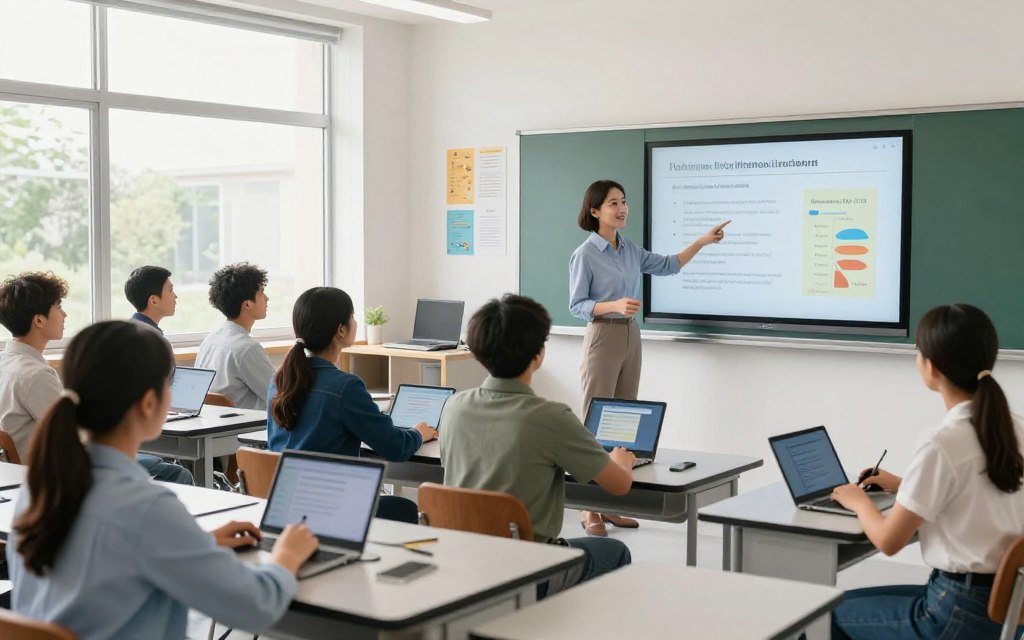
Adopting interactive classroom technology brings practical and ethical challenges. Schools must plan carefully for successful use and fair access for every student.
Budget Constraints and Resource Allocation
Classroom technology challenges require significant investment. Costs may include devices, software licenses, subscriptions, installation, and ongoing technical support. School leaders should review the total cost of ownership, not only the initial purchase price.
An educational technology budget must support long-term technology resource allocation. Funding should cover repairs, replacement cycles, and cybersecurity measures.
Teacher Training and Professional Development
Effective classroom technology use depends on strong teacher technology training. Training should continue over time and include:
- Hands-on practice with new tools
- Instructional coaching and peer collaboration
- Opportunities for model lessons and troubleshooting
- Time for experimentation and feedback
Professional development for educators helps teachers feel confident and skilled when using new technologies.
Equity, Access, and the Digital Divide
The digital divide in education creates a serious challenge. Unequal access to reliable broadband, suitable devices, and quiet study spaces can harm learning. Schools must provide equitable technology access, including access for students with special needs.
Ignoring these gaps may deepen existing inequities. Schools must also consider privacy, cybersecurity, and data governance. Engaging teachers, families, students, and community stakeholders can support inclusive technology planning.
| Challenge | Consideration | Potential Solutions |
|---|---|---|
| Budget Constraints | Long-term resource allocation | Evaluate total cost of ownership |
| Teacher Training | Ongoing professional development | Hands-on workshops and coaching |
| Digital Divide | Equitable access to technology | Community engagement and support |
Best Practices for Integrating Interactive Technology
Technology integration in education is not about using the newest tools. It should improve learning through clear learning objectives and technology choices. Each tool should serve a purpose by improving access, collaboration, or feedback.
Aligning Technology with Learning Objectives
When planning lessons, teachers should identify what students need to understand or produce. This focus helps educators choose tools that support those goals. Technology should serve the lesson, not control it, so learning objectives remain central.
Building a Balanced Tech-Integrated Curriculum
A balanced digital curriculum uses several teaching methods. Key components include:
- Digital activities alongside discussions and readings
- Hands-on materials and movement
- Direct instruction and peer collaboration
- Offline reflection to deepen understanding
Universal design principles are also crucial. Offer several ways for students to access content and show understanding, supporting diverse learning needs and adaptive instruction.
Continuous Evaluation and Adaptation
Continuous evaluation is vital for technology integration. Educators should assess:
- Quality of student work
- Participation levels
- Assessment results
- Teacher workload and usability
- Attendance and accessibility
- Feedback from families
Evaluating educational technology requires schools to pilot new tools, gather evidence, and review vendor practices. If a product lacks educational value, schools may adjust or stop using it. Classroom technology best practices also include clear expectations for digital citizenship, responsible communication, and online safety.
Sustainable technology integration is an ongoing process. It should be evidence-informed, inclusive, and aligned with the school’s broader instructional strategy.
Real-World Examples and Success Stories
Many U.S. K-12 schools use interactive technology to improve student learning. These classroom technology case studies show how U.S. K-12 technology can solve instructional challenges and improve learning.
Case Studies from U.S. K-12 Schools
One California school district added smart displays to its classrooms. It faced low student engagement during lessons. Smart displays supported collaborative instruction, letting students interact with content in real time.
Teachers received extensive training and ongoing technical support. Student participation rose by 40%, and teachers reported better comprehension.
A rural Texas district adopted a one-to-one device program using Chromebooks. The program aimed to improve students’ digital literacy.
Professional development showed teachers how to use technology in their curricula. Student assessments showed a 30% increase in test scores, highlighting the program’s success. However, some families still lacked internet access.
District-Wide Technology Initiatives
District technology initiatives also support successful educational technology use. A suburban New York district launched a broad technology initiative. It expanded broadband access and adopted a digital curriculum.
Leaders set clear goals and phased implementation for smooth integration. Regular monitoring and educator feedback helped refine the approach. The initiative increased student engagement by 25% across grade levels.
| School District | Technology Implemented | Outcome | Challenges |
|---|---|---|---|
| California District | Smart Displays | 40% increase in participation | Initial resistance from some teachers |
| Texas District | Chromebooks | 30% increase in test scores | Internet access issues |
| New York District | Broadband & Digital Curriculum | 25% increase in engagement | Resource allocation |
These school technology success stories show that educational technology implementation needs careful planning and attention to local needs. To judge whether a reported success transfers, assess funding, infrastructure, staff capacity, and local curriculum priorities. For further insights into AI case studies in education, visit this resource.
The Future of Interactive Classroom Technology
The future of classroom technology is changing quickly, bringing new ways to support learning. As part of AI in education, the AI-powered adaptive learning systems will shape future-ready learning.
These adaptive learning systems study student responses, suggest practice, and adjust difficulty. They can also explain ideas, find misunderstandings, and help teachers plan lessons and feedback.
Educators must use these tools with care. Artificial intelligence in classrooms can support learning, but people must check its outputs. Wrong or biased content may harm student development, so teachers must review data and guide learning.
Emerging education technology is also shaping the future. In EdTech, multimodal interfaces, voice-enabled learning, and immersive simulations are gaining use. Connected classroom devices and digital credentials may improve access and simplify learning.
As these tools grow, we must address privacy, consent, and cybersecurity. Student agency matters, so technology should empower students instead of encouraging passive use. The best innovations will deepen understanding, improve inclusion, and create meaningful opportunities for students.
| Emerging Trends | Description | Potential Impact |
|---|---|---|
| AI-Powered Learning | Adaptive systems that tailor learning experiences. | Improved student engagement and performance. |
| Voice-Enabled Learning | Integration of voice technology for interaction. | Enhanced accessibility and user experience. |
| Immersive Simulations | Use of VR and AR for experiential learning. | Deeper understanding of complex concepts. |
Conclusion
An interactive learning conclusion highlights technology’s role in transforming student learning. This approach increases participation, supports personalized learning, and strengthens feedback. The benefits of educational technology depend on clear instructional goals and skilled educators, not device access alone.
Effective classroom technology includes smart displays, student devices, educational apps, LMS platforms, VR, AR, and AI-supported tools. It creates dynamic learning environments, but technology alone cannot guarantee success. Equitable access, responsible data practices, and reliable infrastructure maximize its impact.
As we consider the future of student learning, leaders and educators should choose technology based on proven learning needs. Ongoing support and changes based on student and teacher feedback can improve the learning atmosphere. Innovation, human connection, and thoughtful teaching create a richer educational experience.